Database
Luna Park ships a SQL database inside the editor. No server, no setup: you create tables, store rows, and query them from the graph.
PostgreSQL everywhere
In the editor, the database is a PGlite instance (PostgreSQL compiled to WebAssembly) running in your browser. In the exported app, the same tables run on a real PostgreSQL server, set with the DATABASE_URL variable (see Self-hosting). The rows you create in the editor are inserted as initial data on first launch.
Tables
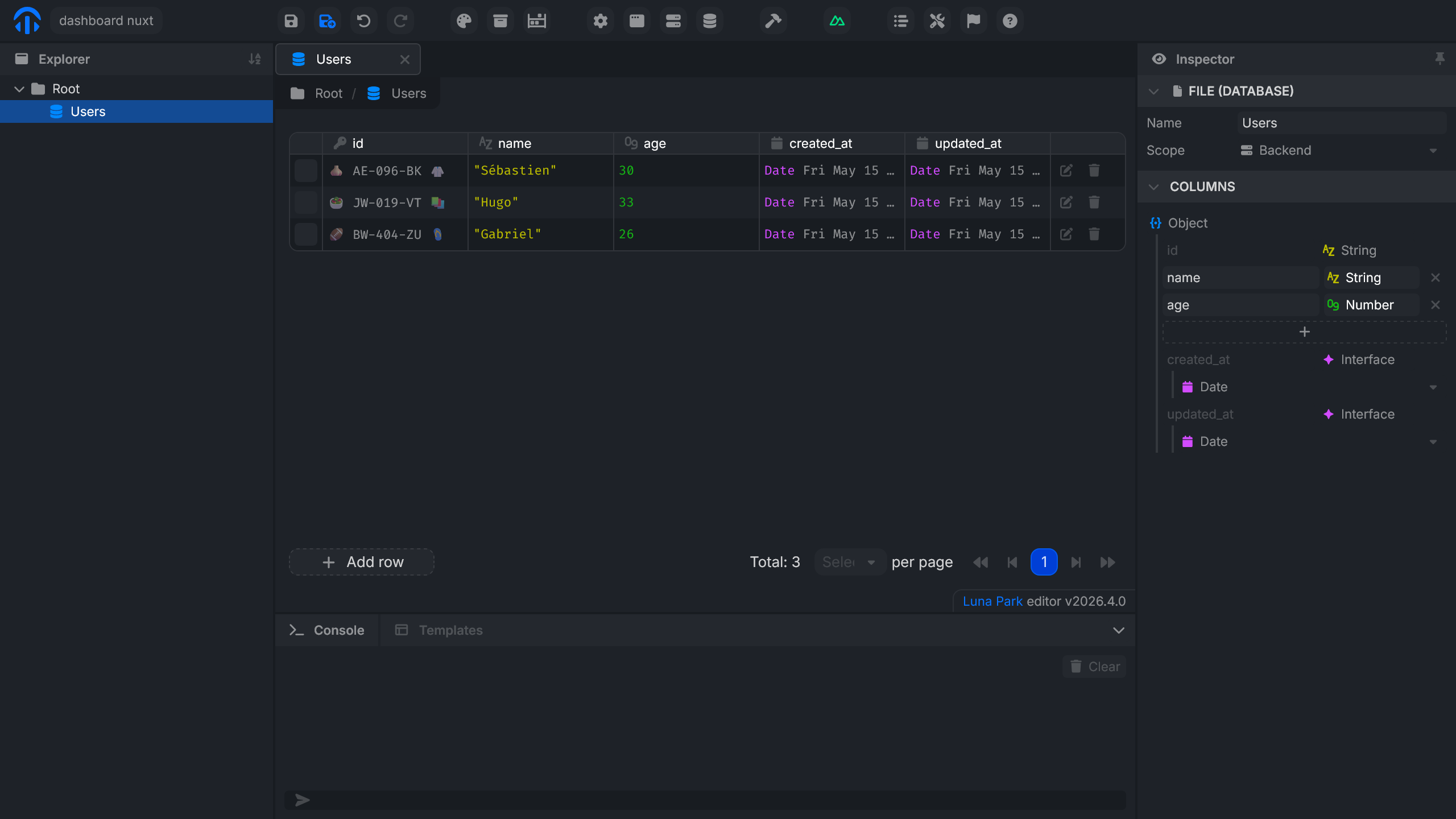
Each Database file is a table. Create one in the Explorer with New > Database, then open it to:
- define its columns (name and type) in the Columns section of the Inspector;
- add, edit, delete, and search rows;
- inspect the contents in real time.
The id, created_at, and updated_at columns are added automatically to every table. id is a UUID.
Column types
| Type | Stored as |
|---|---|
| Text | text |
| Number | numeric |
| Boolean | bool |
| Date | timestamptz |
| Object | jsonb |
| Array | a PostgreSQL array |
| Reference to another table | uuid (foreign key) |
Constraints
The Constraints section of the Inspector sets, for each column:
| Constraint | Effect |
|---|---|
| Required | The column can't be empty. |
| Unique | Two rows can't share the same value. |
| Index | Speeds up searches and sorting on this column. |
A column that references another table also defines what happens when the referenced row is deleted: Block (default), Restrict, Delete rows too, or Set to empty.
Querying the database
Database nodes are used inside backend logic: routes, crons, and backend scripts. The interface calls a route, which runs the query and returns the result.
Specialized nodes
Luna Park provides one node per common operation. Configuration is visual (table, parameters, filters), and the SQL is generated behind the scenes.
| Category | Nodes |
|---|---|
| Read | DB Find, DB Find By Id |
| Write | DB Insert, DB Update, DB Update By Id |
| Delete | DB Delete, DB Delete By Id |
| Transaction | DB Transaction |
Parameters plug into the input anchors: an id coming from a variable, a filter value coming from an input, etc.
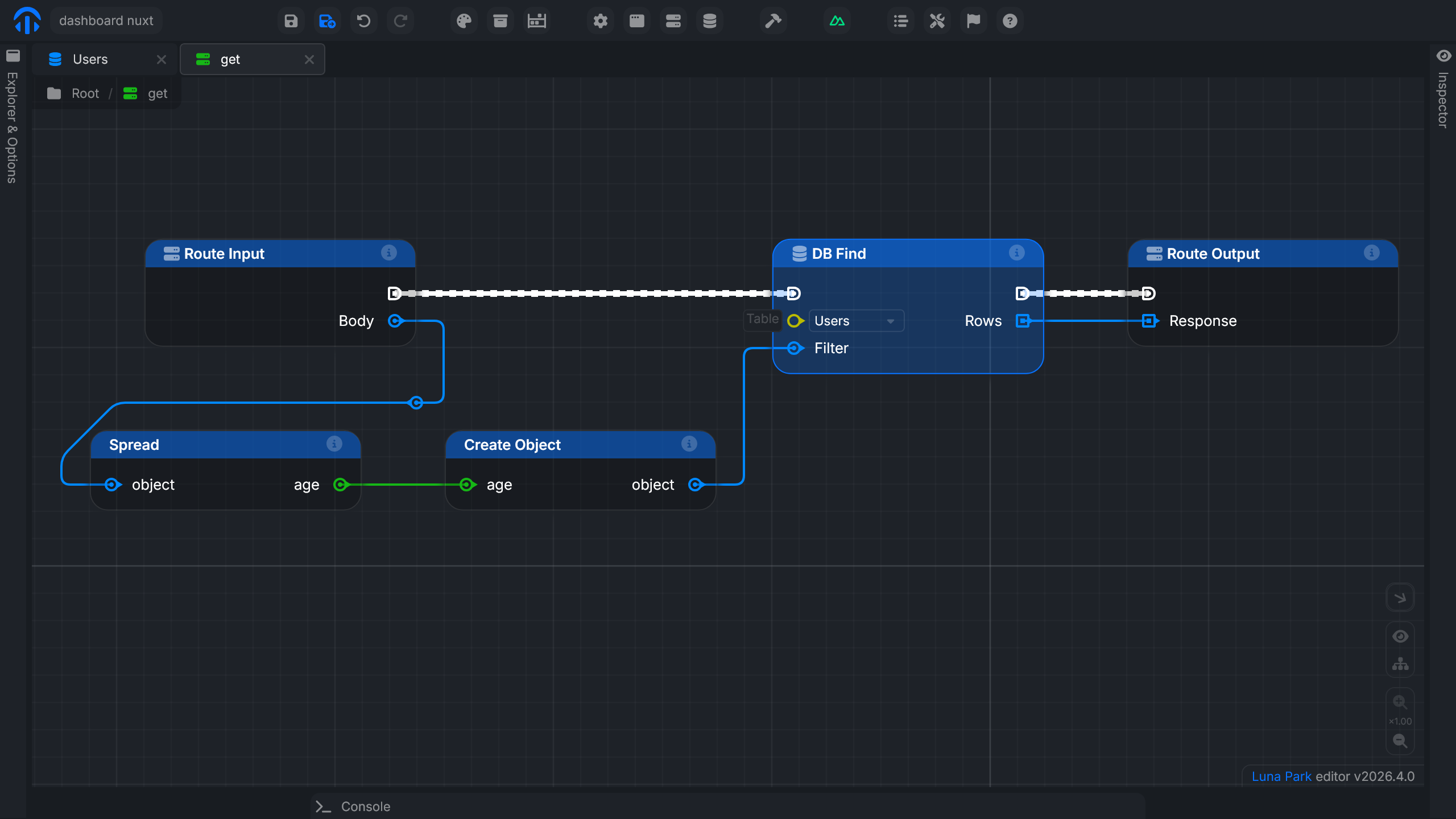
DB Transaction runs the operations wired to its Run output all at once: if one fails, none is saved. Then runs after the changes are saved.
Build a query
For more precise queries, Luna Park provides nodes that chain together: each node adds a SQL clause and exposes a Query output that the next one consumes.
The starting point is always DB From, which selects the table. You then plug in the nodes you need, and finish with an execution node.
| Node | Role |
|---|---|
DB From | Selects the source table. |
DB Select | Chooses the returned columns (all by default). |
DB Where | Filters rows with one or more conditions. |
DB Where Condition | Compares a column with a value or another column. |
DB Where Conditions | Combines conditions with AND or OR. |
DB Join / DB Join Condition | Joins another table (inner, left, right, full). |
DB Order / DB Order Direction | Sorts the results. |
DB Group By | Groups rows by value. |
DB Aggregate | Computes count, sum, avg, min, or max, optionally on distinct values. |
Execution nodes:
| Node | Role |
|---|---|
DB Query Select | Runs the query and returns the rows. |
DB Query Update | Updates the matching rows. |
DB Query Delete | Deletes the matching rows. |
DB Query Explain | Shows how PostgreSQL plans to run the query. |
Available comparisons: equals, not equals, greater/less than (or equal), in, is null, like, ilike, contains.
For example, to fetch users under 30: a DB From points to the table, a DB Where Condition defines age < 30, a DB Where receives the query and the condition, and a DB Query Select runs the whole thing.
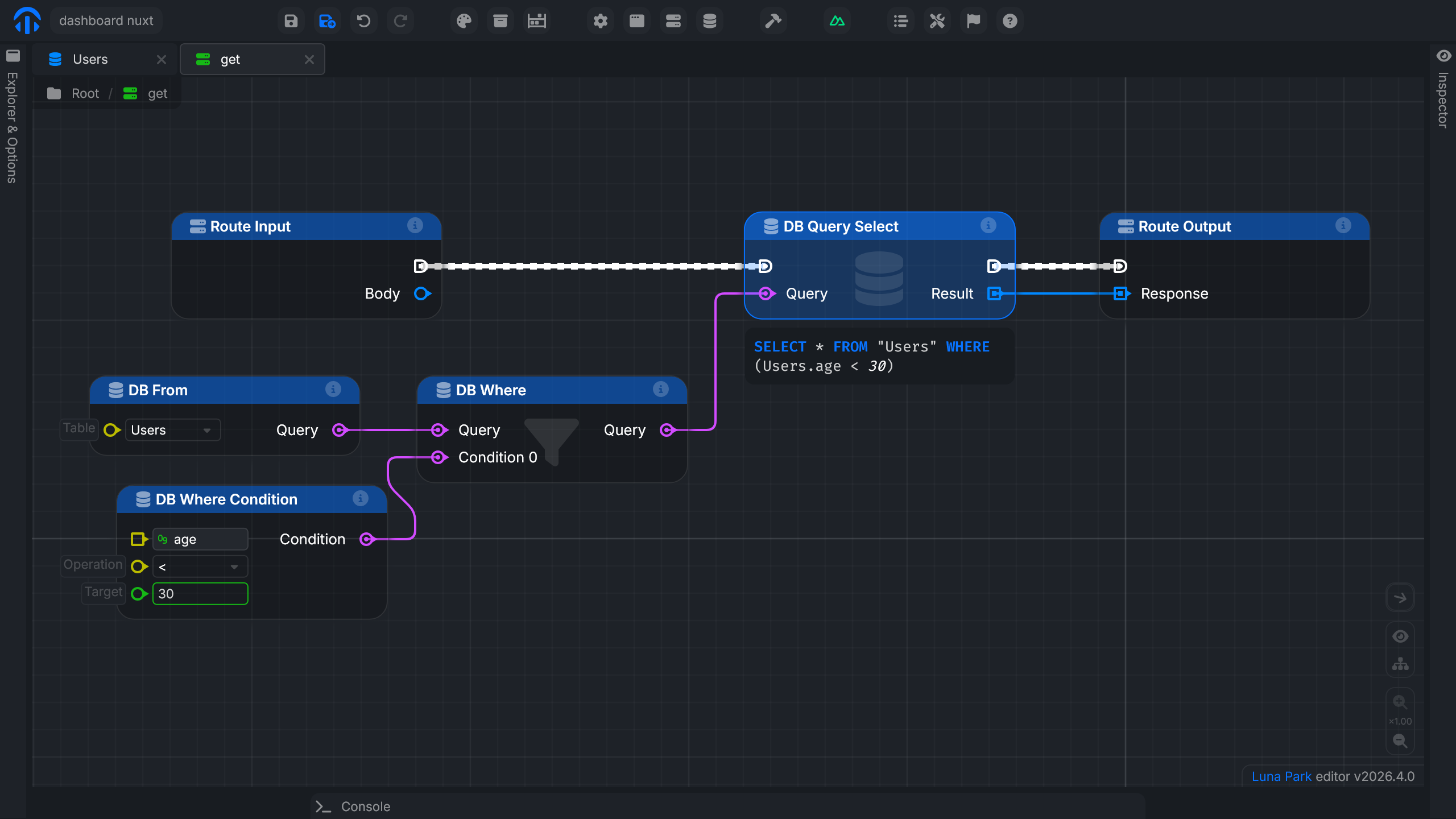
Query preview
To see the SQL that actually runs, select the DB Query Select node and click Preview in its config.
Preparing the articles table
To follow the guided example on the Routes page, create an articles table:
- Create a Database file named
articles. - Add a
titlecolumn (text). - Insert a few test rows.
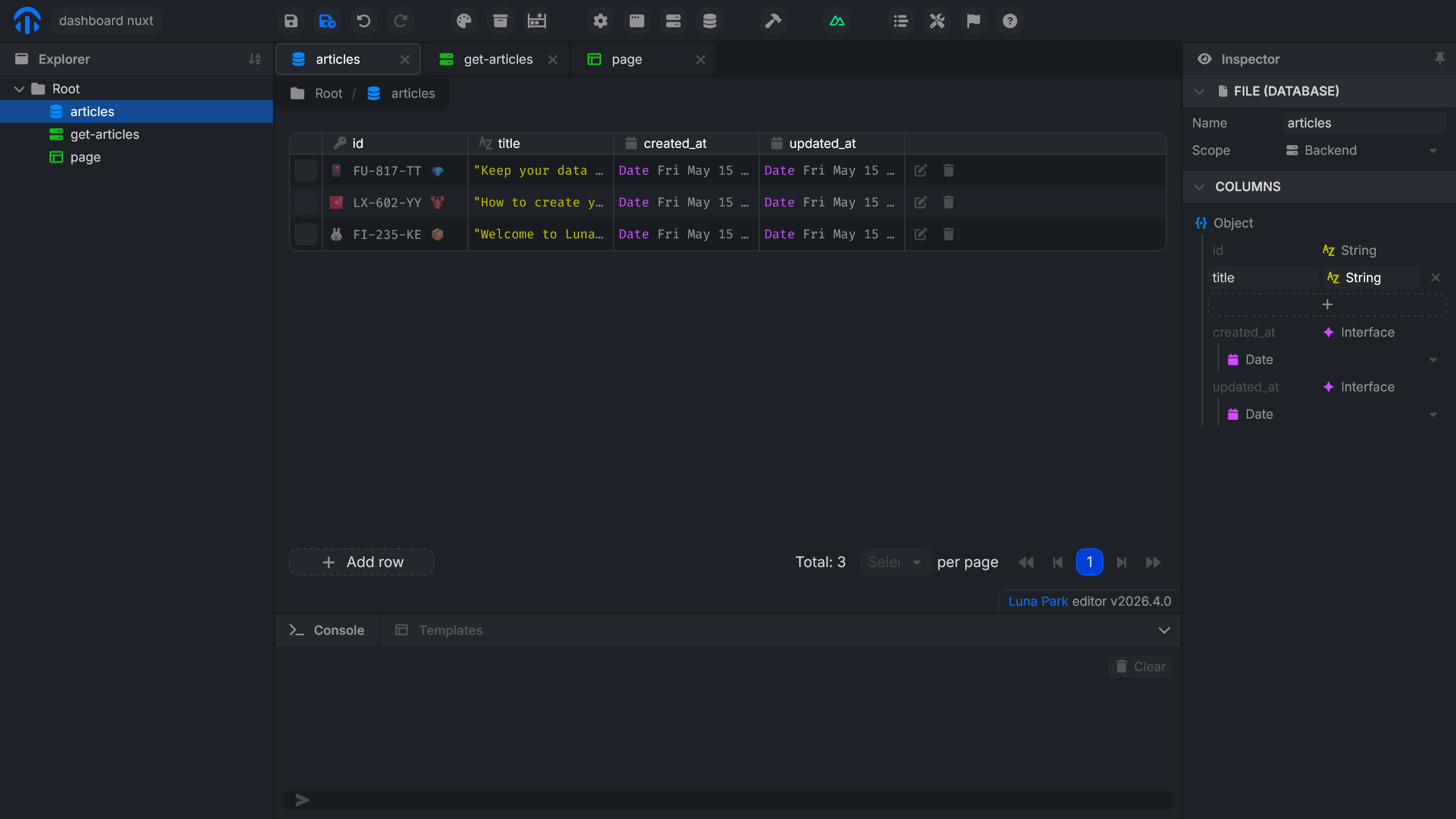
The rest (exposing these articles through a route and rendering them in the interface) is covered on the Routes page.