Routes
A route is an HTTP endpoint defined in Luna Park. It wraps server-side logic (database queries, computations, transformations) and exposes it to the interface, which can call it like a function.
Creating a route
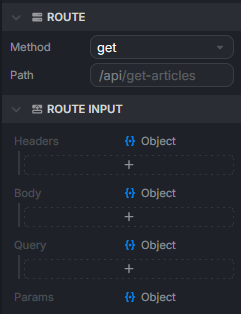
In the Explorer, right-click and pick New > Route. Its settings are in the Inspector:
- Method:
GET,POST,PUT, orDELETE. - Path: the endpoint path. By default it matches the route name (a
get-articlesroute is exposed at/api/get-articles). Add parameters with:, for example/articles/:id. - Route Input and Route Output: the types of the data received and returned.
- Guards: access rules checked before the route runs (see below).
Anatomy of a route
A route's graph runs from an input node to an output node. In between, you wire the logic: DB nodes, operations, conditions, etc.
Input
The input node exposes the data received by the route on optional anchors:
headers: HTTP headers (auth, content-type...).body: request body (typical forPOSTandPUT).query: query string parameters (?id=5&limit=10).params: path parameters (/articles/:id).
Define the shape of headers, body, and query in Route Input. params follows the path.
You pull what you need and pass it to the downstream nodes. For example, an id coming from params can feed a DB Find By Id.
Plugins can add inputs: the Users plugin adds the connected user, for example.
Output
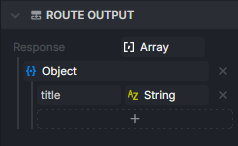
The output node receives what the route sends back to the caller. Whatever you plug into its anchor becomes the HTTP response body. Its type is set in Route Output.
A route can have several output nodes, one per branch (found / not found, for example).
Errors
To answer with an HTTP error, use the Error node: pick a code (400 Bad Request, 401 Unauthorized, 404 Not Found...) and a message. Execution stops there.
Cookies
Read and write cookies with the Get Cookie, Set Cookie, and Clear Cookie nodes. Cookies are signed with the Cookie salt of Backend Settings.
Guards
Routes are public by default. A guard checks each request before the route runs and rejects the unauthorized ones. Add one in the Guards section of the Inspector.
Guards are provided by plugins. The Users plugin provides Authenticated (only logged-in users) and Permission (only users whose roles grant a permission).
Testing a route
Routes run inside the editor: when the interface calls one in Preview mode, the route executes against the editor's database, and its logs appear in the console.
Calling a route from the interface
Every time you create a route, Luna Park automatically generates a node named after it (get-articles, create-user...). You use it directly inside a frontend component's graph: its output holds the response, ready to wire into the interface (for example a Template to loop over it).
Guided example: display a list of articles
This example starts from an articles table (see Database to create it), creates a get-articles route that reads it, and renders the results in the interface.
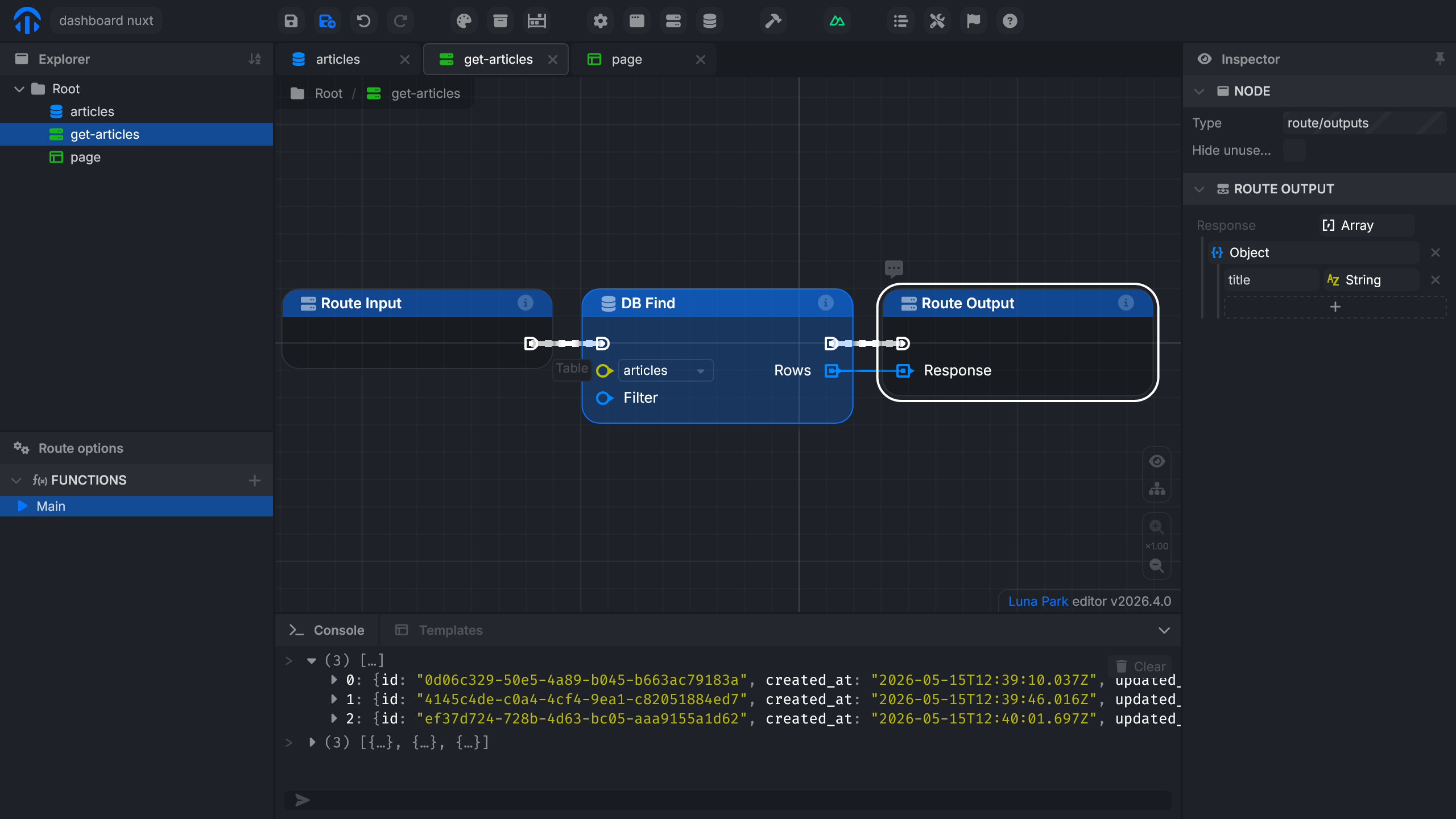
1. Create the get-articles route
- Create a route named
get-articles. - In its properties, pick the
GETmethod. - In the route's graph, add a DB Find node on the
articlestable. - Wire the DB Find output to the route output.
- Set the output
Responseto anArrayofObject.
2. Call the route from the interface
In the page, create an
articlesvariable typed asArrayofObjectwith atitlefield (string). This way only the titles show up in the interface, withoutid,created_at, orupdated_at.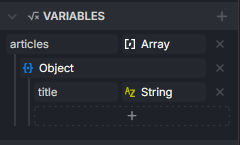
In the graph, add an
On Mountednode to trigger the call on page load, then add theget-articlesnode and wire its output toSet articles.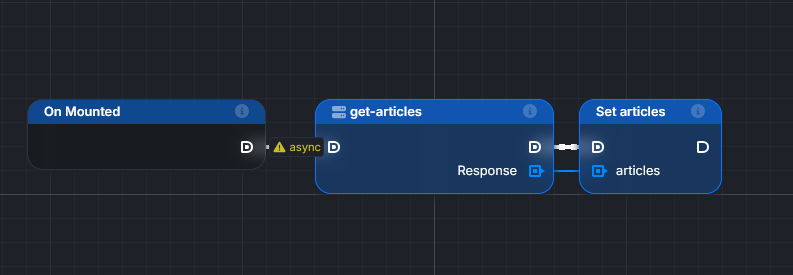
Add a
Templatecomponent (Forloop) in the interface and bind it to thearticlesvariable.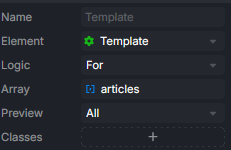
Inside the template, create a
Block, then add a variable bound toTemplate[].value.titleto display each article's title.![Text inside the template bound to Template[].value.title, with the list of titles rendered](/docs/assets/template-title.TDoMCbhd.png)