SEO
Search engines and link previews (Slack, X, LinkedIn, WhatsApp...) read the title and the meta tags of a page before anything else. Luna Park lets you set them for the whole site and for each page, including pages whose content comes from the database, like /blog/:slug.
The backend of the exported app writes those tags into the HTML of every page, so they are there even for robots that don't run JavaScript. It also serves /sitemap.xml and /robots.txt.
Requirements
- The history mode must be Web Mode, the default for new projects: in Hash Mode, every page shares the same URL for search engines.
- The pages must be served by the backend of the exported app (see Self-hosting). On a static host, only the site settings below end up in the HTML; the page settings are applied in the browser.
Site settings
Open the SEO section of the Settings workspace:
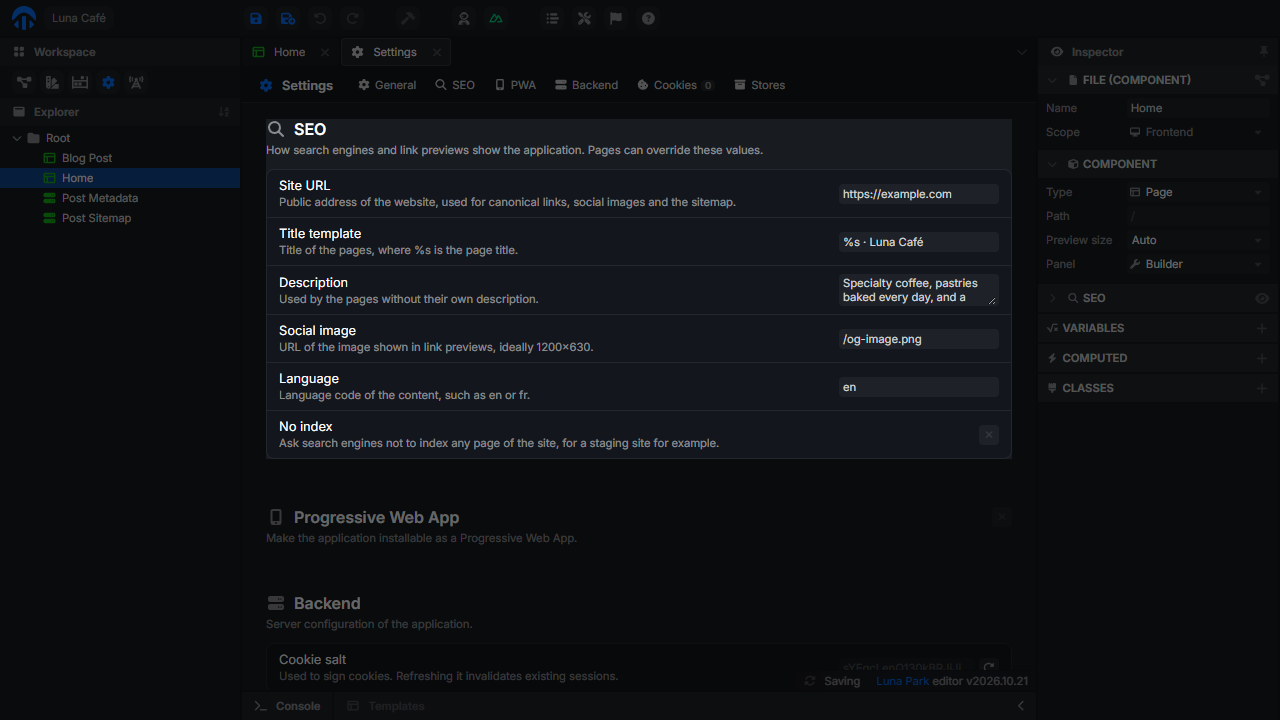
| Setting | Default | Description |
|---|---|---|
| Site URL | Empty | The public address of the site, such as https://example.com. Used for canonical links, absolute image URLs, and the sitemap. |
| Title template | %s | The title of the pages, where %s is the page title. For example %s · Luna Café. Pages without a title use the app name. |
| Description | Empty | The description of the pages without their own. |
| Social image | Empty | The image shown in link previews, ideally 1200×630. A path starting with / is made absolute with the site URL. |
| Language | en | The language of the content, set on the <html> tag. |
| No index | Off | Asks search engines not to index any page, for a staging site for example. robots.txt then disallows the whole site. |
Page settings
Select a page and open the SEO panel of the inspector. It sets the title, description, and image of this page; empty fields fall back to the site settings.
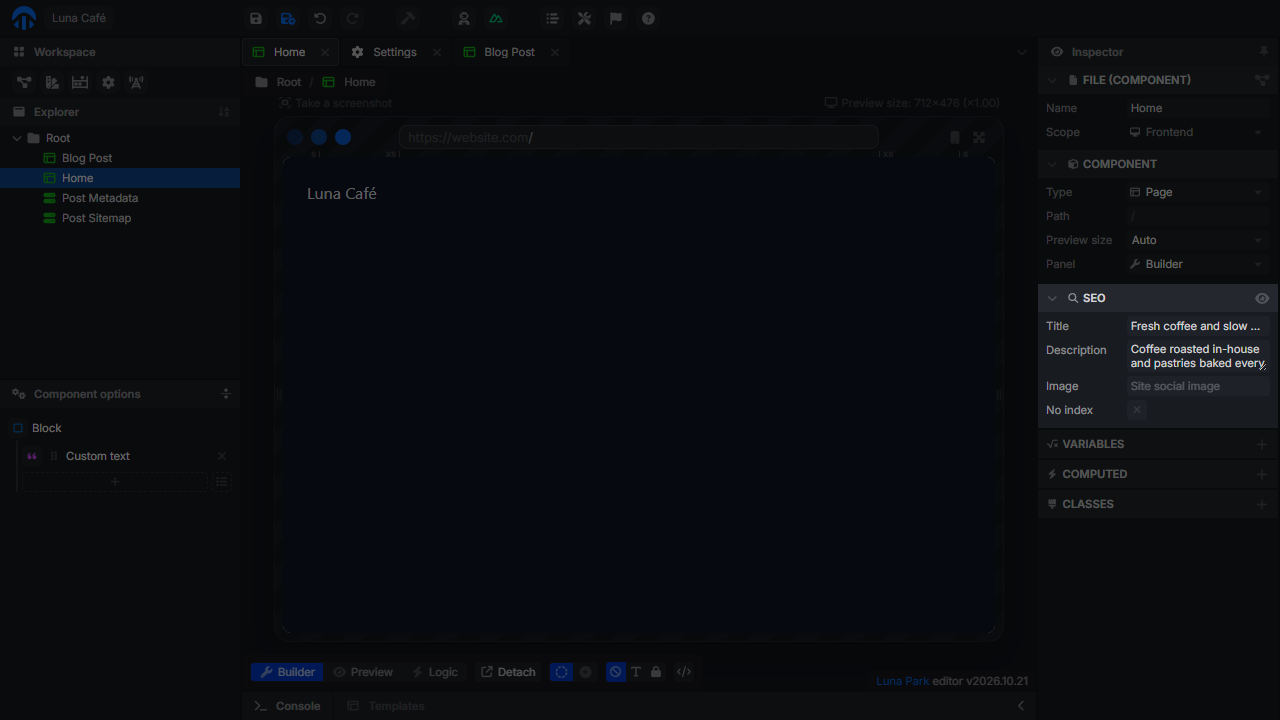
| Field | Description |
|---|---|
| Title | The page title, inserted in the title template. |
| Description | The description shown under the title in search results. |
| Image | The image of link previews for this page. |
| No index | Asks search engines not to index this page. It stays reachable, but is left out of search results and of the sitemap. |
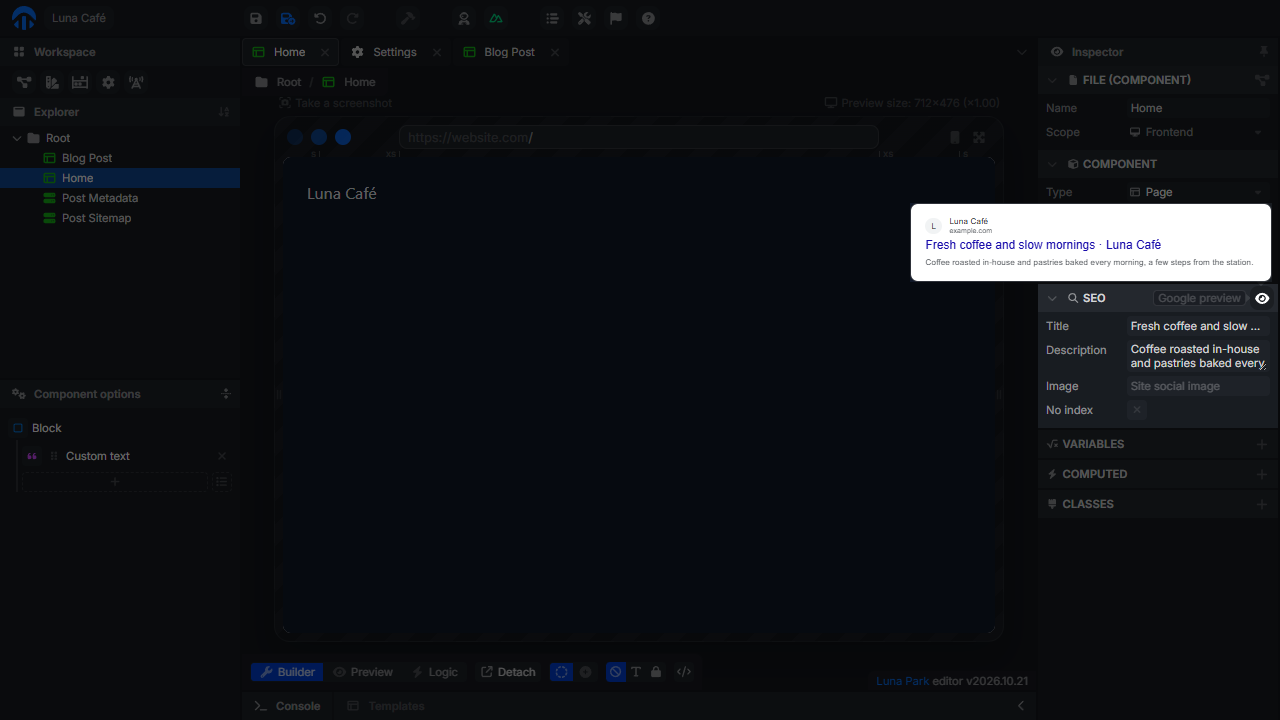
Google preview
Click the button of the panel to see how the page could appear in Google results, with the title template, the site URL, and the description.
Dynamic pages
A page with a dynamic segment, such as /blog/:slug, shows one post per URL: a fixed title would be the same for every post. Its SEO panel has a Source choice:
- Static: the same title, description, and image for every URL, as above.
- Dynamic: the tags come from a route of your backend.
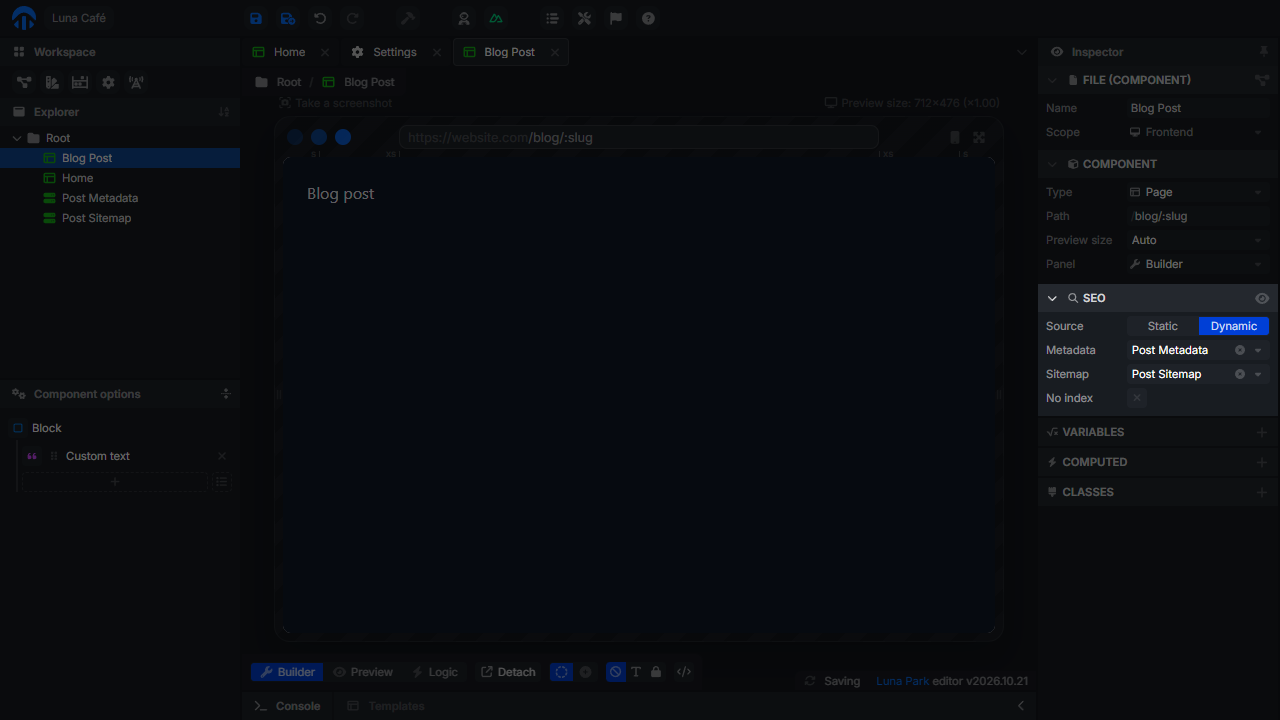
Both dropdowns list the GET routes of the project. Choose New route at the end of the list to create one next to the page: for Metadata, its query already contains the parameters of the page path.
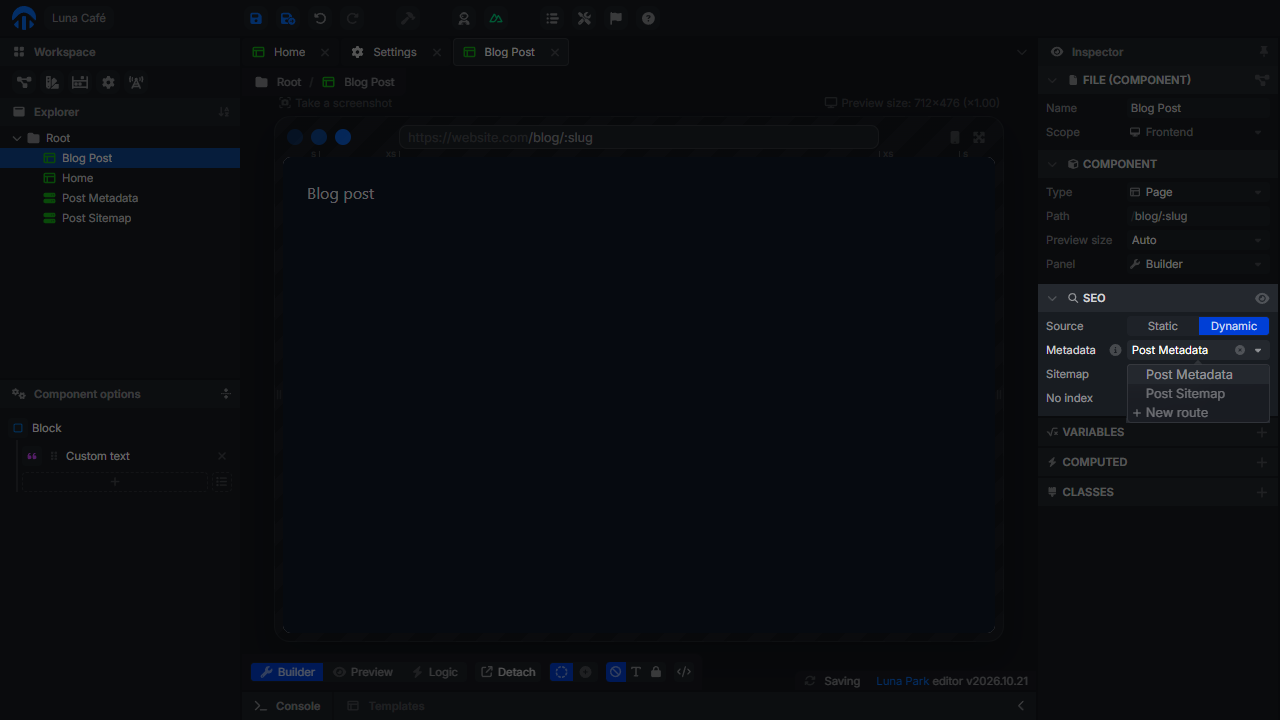
Metadata route
The Metadata route returns the tags of one URL. It receives the parameters of the page path, as path parameters when the route path declares them (/post-metadata/:slug) and as query parameters (?slug=hello). Its response is an object with any of these properties:
{
    "title": "How we roast our beans",
    "description": "From green beans to your cup, in five steps.",
    "image": "/covers/roasting.png",
    "noindex": false
}
Missing properties keep the site settings. When the route answers 404, the page answers 404 too, with noindex, so a deleted post disappears from search results. Any other error keeps the site settings.
When the backend builds the HTML, it calls the route without the visitor's cookies: a route with a guard that needs a signed-in user fails there. Return public data only.
Sitemap route
The Sitemap route lists the URLs of the page for /sitemap.xml. It returns an array with one entry per URL: an object with one property per parameter, or a single value when the path has one parameter.
[{ "slug": "our-new-pastries" }, { "slug": "how-we-roast-our-beans" }]Without a sitemap route, a dynamic page is left out of the sitemap.
What the exported app serves
The backend answers every page URL with the HTML of the app, and fills its <head>:
<title>How we roast our beans · Luna Café</title>
<meta name="description" content="From green beans to your cup, in five steps.">
<link rel="canonical" href="https://example.com/blog/how-we-roast-our-beans">
<meta property="og:type" content="website">
<meta property="og:site_name" content="Luna Café">
<meta property="og:title" content="How we roast our beans · Luna Café">
<meta property="og:description" content="From green beans to your cup, in five steps.">
<meta property="og:url" content="https://example.com/blog/how-we-roast-our-beans">
<meta property="og:image" content="https://example.com/covers/roasting.png">
<meta name="twitter:card" content="summary_large_image">- The canonical link and
og:urlneed a Site URL, and are left out of pages with No index. - A URL that matches no page answers 404 with
noindex. Unknown/apiroutes and missing files keep their JSON 404. - The HTML of the pages is never cached, while the assets keep their long cache.
/sitemap.xmllists the pages without dynamic segments, plus the URLs of each sitemap route, except the pages with No index./robots.txtallows the whole site and points to the sitemap, or disallows everything when the site has No index.
In the browser, the title and the tags follow the navigation between pages, calling the metadata route of dynamic pages.
Check your tags
Open a page URL of the deployed app with View page source, or paste it in the link preview of a messaging app, to see the tags robots receive.
The content of the pages is still rendered in the browser. Google runs JavaScript and indexes it; robots that don't only see the tags.