Classes
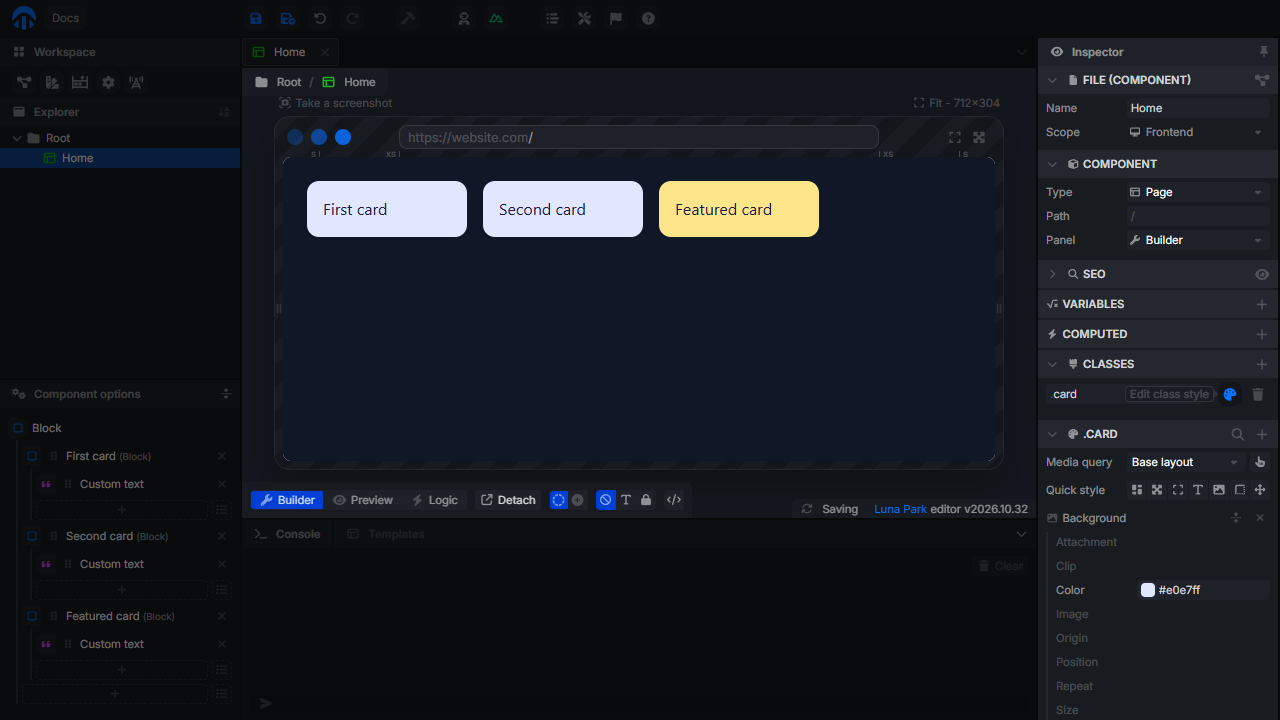
A class is a named style shared by several elements of the same component. Edit the class once, and every element using it changes. Use classes for repeated elements: the cards of a list, the items of a menu, the fields of a form.
Classes belong to their component: other components can't use them. For a style shared by the whole app, use design tokens or a global CSS class (see Advanced Styles).
Create a class
Click the component in the Explorer to show its settings in the inspector, then open Classes:
- + (Add a new class) creates a class and opens its style.
- Type in the name field to rename it. Names only contain letters, digits,
-and_. The rename applies onEnteror when leaving the field. - The number next to the name is how many elements use the class.
- Edit class style opens the style of the class under the list: the same Style panel as for an element, with media queries and hover.
- Delete class removes it from every element, then deletes it.
Apply a class
Select an element, and in the Element panel:
- Click the + of Classes.
- Switch the new entry to the Token type (see Bindings).
- Pick the class (
.card) in the list.
An element can have several classes. A class entry can also be a Constant (raw class names, separated by spaces, for global CSS classes) or a Variable (a class that depends on a value). Only Token entries are counted and listed in the Target dropdown below.
Edit a class from an element
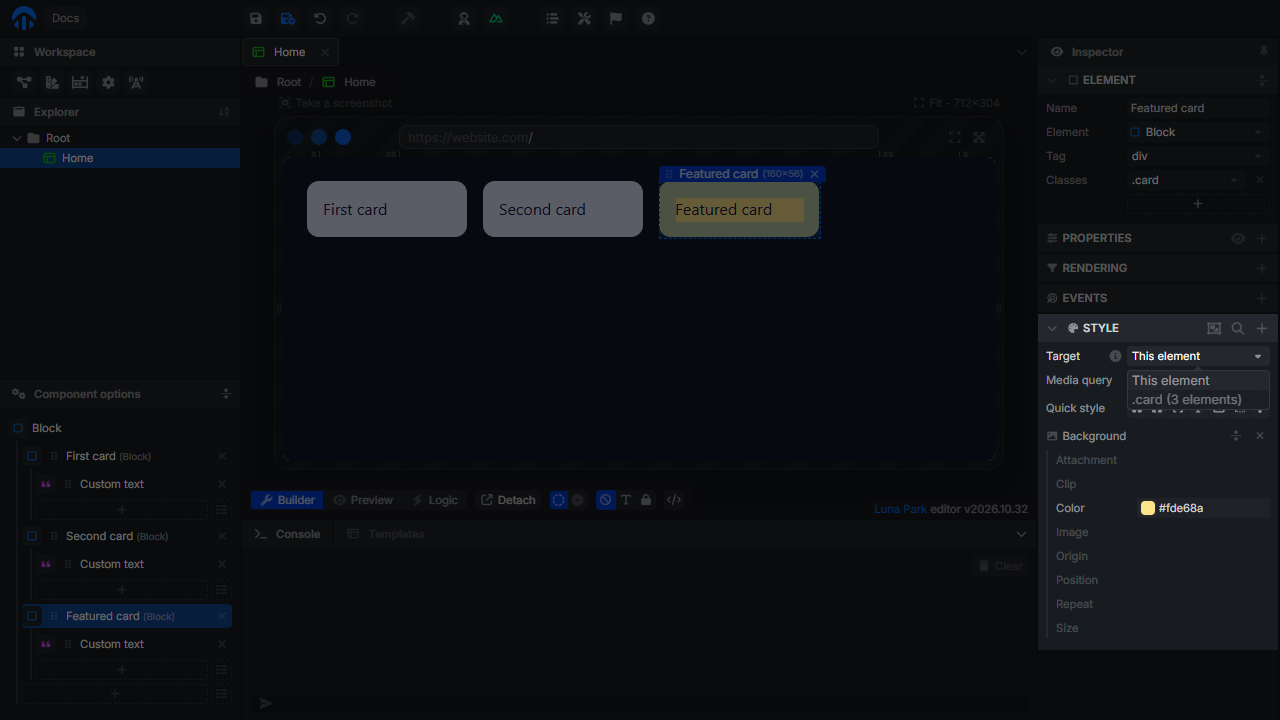
When the selected element has a class, the Style panel shows a Target dropdown:
- This element edits the element's own style;
.card (3 elements)edits the style of the class, shared by every element using it.
Extract a style to a class
When an element already has the right style, turn it into a class: in its Style panel, with the Target on This element, click Extract style to a new class. The whole style of the element (media queries and hover included) moves to a new class named after the element, the class is applied to the element, and the Target switches to it. Then apply the class to the other elements.
Class and element styles
An element can have a class and its own style. When both set the same property, the element's style wins. Use it for exceptions: a .card class for every card, and a different background on one of them.
In the exported code, classes are scoped CSS classes of the component (<style scoped>), with the hover as :hover and the media queries as @media rules.